
Task management
Follow-ups that follow up on your team
The lead said "call me Thursday." Getlead makes sure somebody actually does. Every promise becomes an assigned, time-boxed task — created automatically, chased with reminders, and escalated when it slips.
No credit card required·Set up in minutes·Cancel anytime
On the call
The lead says "call me Thursday".
Task created
A follow-up is booked with an owner and a due time.
Reminded
The owner is nudged before it is due, not after.
Done
The outcome is logged against the lead. Nothing relies on memory.
How it works
From "I'll get back to you" to it actually happening
Three things separate teams that follow up from teams that mean to: tasks that create themselves, deadlines that escalate, and calls that get logged.
Auto-created tasks
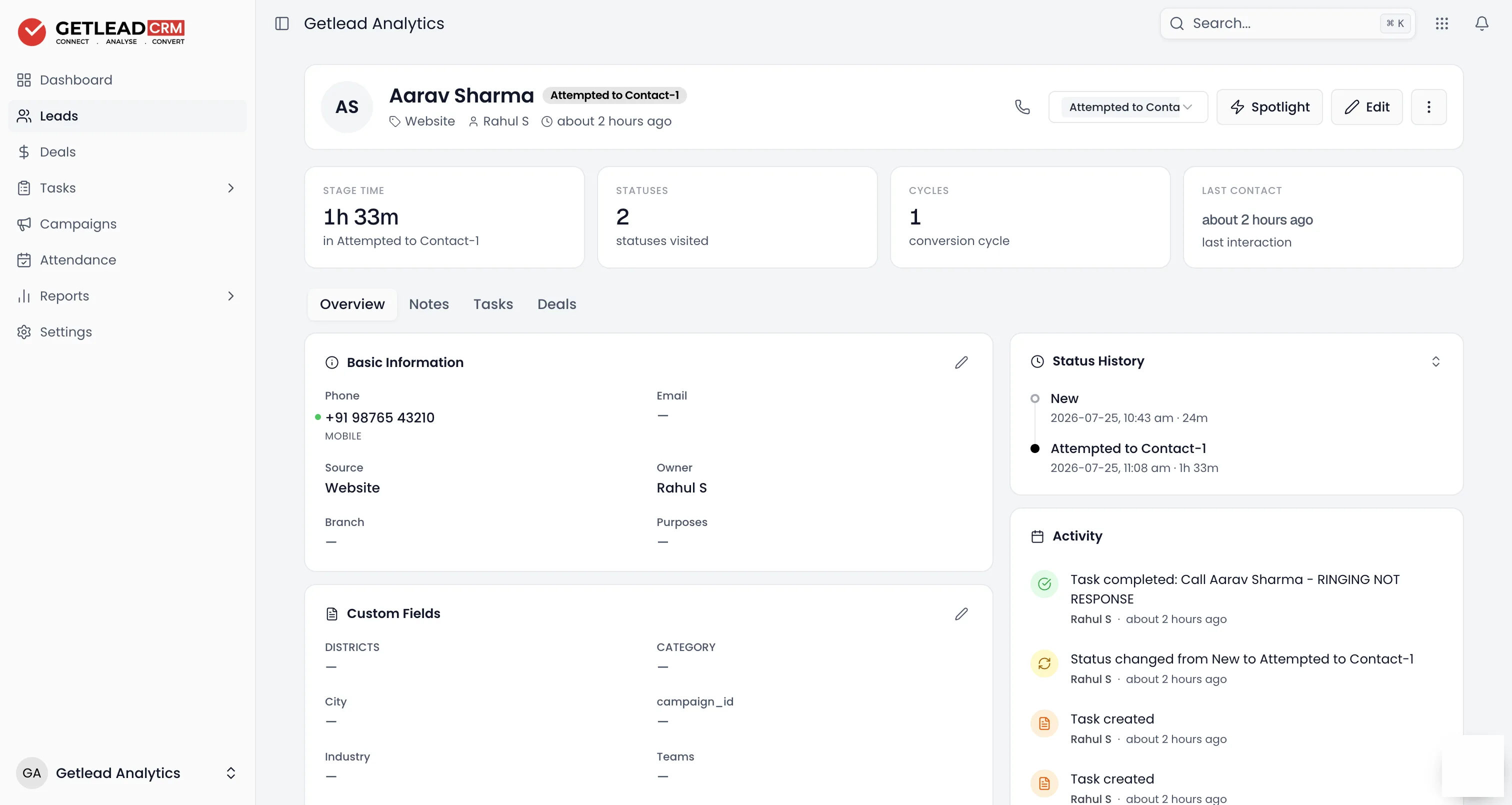
Tasks that create themselves
When a lead arrives, changes stage or goes quiet, Getlead creates the next task on its own — with an owner, a deadline and a priority. Nobody has to remember to remember.
- Triggered by lead activity and pipeline stage changes
- Custom priority levels so urgent work surfaces first
- Completed tasks logged to the activity timeline automatically
Reminders & escalation
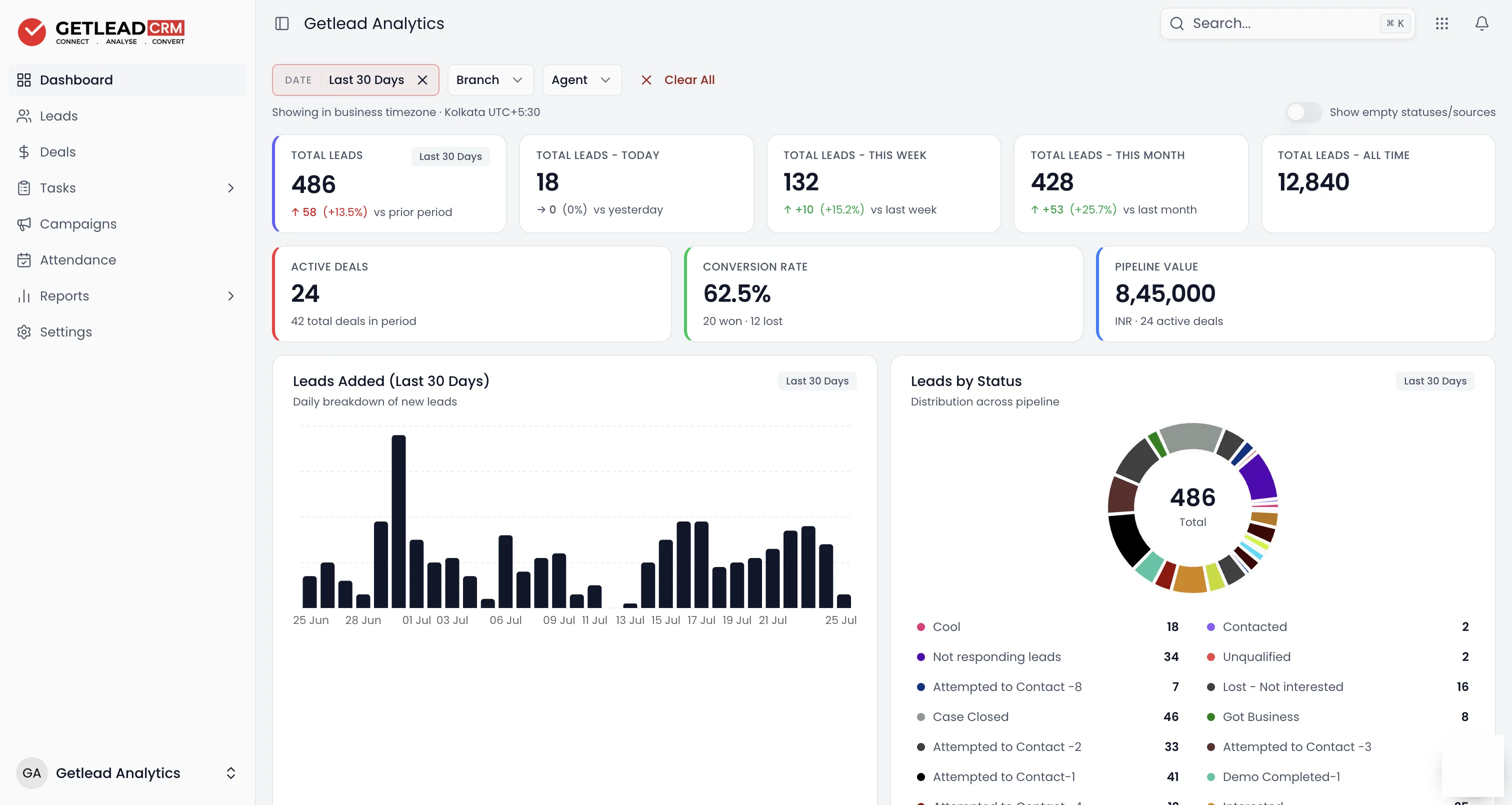
Overdue work has nowhere to hide
Reminders land before the deadline, not after the lead has gone cold. And when a follow-up still slips, it doesn't vanish into a personal to-do list — it gets flagged and escalated where managers can see it.
- Reminders before due time so deadlines arrive with warning
- Overdue flags & escalation when a follow-up slips
- Manager view of what's done, due and overdue at a glance
Call logging
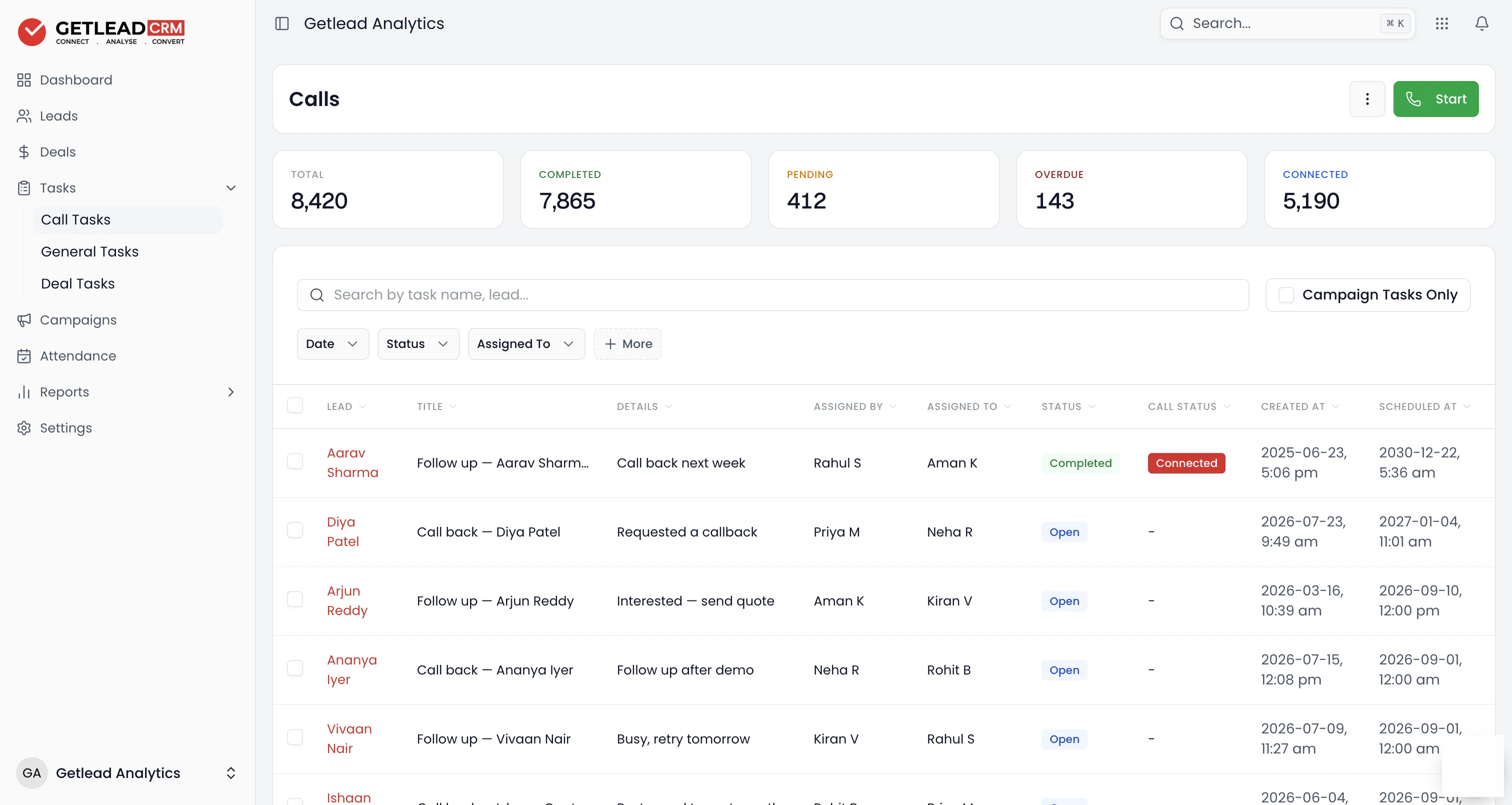
Every call logged, with its outcome
Calls are tasks too. Log each one with its outcome — connected, no answer, callback booked — so the next person who opens the lead knows exactly where the conversation stands.
- Outcomes & recordings attached to every logged call
- Shared task history — assign, comment and attach files
- Full activity timeline on every lead and deal
At a glance
What is sales task management?
Sales task management is the practice of turning every follow-up — calls, meetings and promises — into assigned tasks with owners and deadlines, so nothing depends on memory. In Getlead CRM, tasks are created automatically from lead activity and stage changes, reminders fire before deadlines, overdue work is flagged and escalated to managers, and every call is logged with its outcome. Task management is included in every Getlead plan, from ₹599 per user per month.
| Task creation | Automatic, from lead activity & stage changes |
|---|---|
| Reminders | Before due time, with overdue flags |
| Escalation | Slipped follow-ups surface to managers |
| Call logging | Outcomes & recordings on the timeline |
| Platforms | Web · Android · iOS |
| Included in | Every plan — ₹599–899 / user / month |
FAQ
Task management, answered plainly
Can Getlead CRM create follow-up tasks automatically?
Yes. Getlead creates tasks automatically from lead activity and stage changes, so every new lead and every promise gets an owner and a deadline without anyone typing it in. Completed tasks are added to the activity timeline automatically.
What happens when a follow-up becomes overdue?
Reminders fire before the deadline, and if a task still slips it is flagged as overdue and escalated so managers can see it at a glance. Nothing sits forgotten in a rep's personal to-do list.
Is task management included in every Getlead plan?
Yes. Task management is included in every Getlead CRM plan, along with every other module. Plans cost ₹599 per user per month billed yearly or ₹899 billed monthly, with a 7-day free trial.
Can managers see what the team has overdue?
Yes. Every task carries an owner and a due date, so a manager can see what is overdue, what is due today and who is carrying it — without asking. That turns a status meeting into a five-minute review of what actually slipped.
Can I set reminders for follow-ups weeks or months ahead?
Yes. A task can be scheduled for any future date, so a renewal due in eight months or a callback promised for next quarter is booked the moment it is known. It surfaces on the right day rather than depending on somebody's memory.
Does task management work offline in the field?
Tasks are available in the Android and iOS apps, so a rep can see today's list, log an outcome and close a follow-up from a phone between visits. Everything syncs back to the same record the manager is looking at on the web.
Can tasks be linked to a specific lead or deal?
Yes. Every task belongs to the lead, deal or contact it came from, so opening the task shows the full history behind it — previous calls, notes and stage changes. Nobody has to reconstruct the context before making the call.
The fastest reply usually wins the deal
Reply in 30 seconds,
not 30 minutes.
Getlead catches the enquiry, alerts the right rep, and keeps every follow-up on track — so speed stops being luck.
No credit card required·Every feature unlocked·Cancel anytime